Covington, KY · Northern Kentucky & Greater Cincinnati
Get support(407) 335-1296

COMPUTER REPAIR

Understand the fault. Choose the right repair.

Diagnostics, repairs, and practical upgrades for Windows PCs and Macs, with an explanation of the likely cost and the repair-versus-replacement decision.

Give your technology a second life.

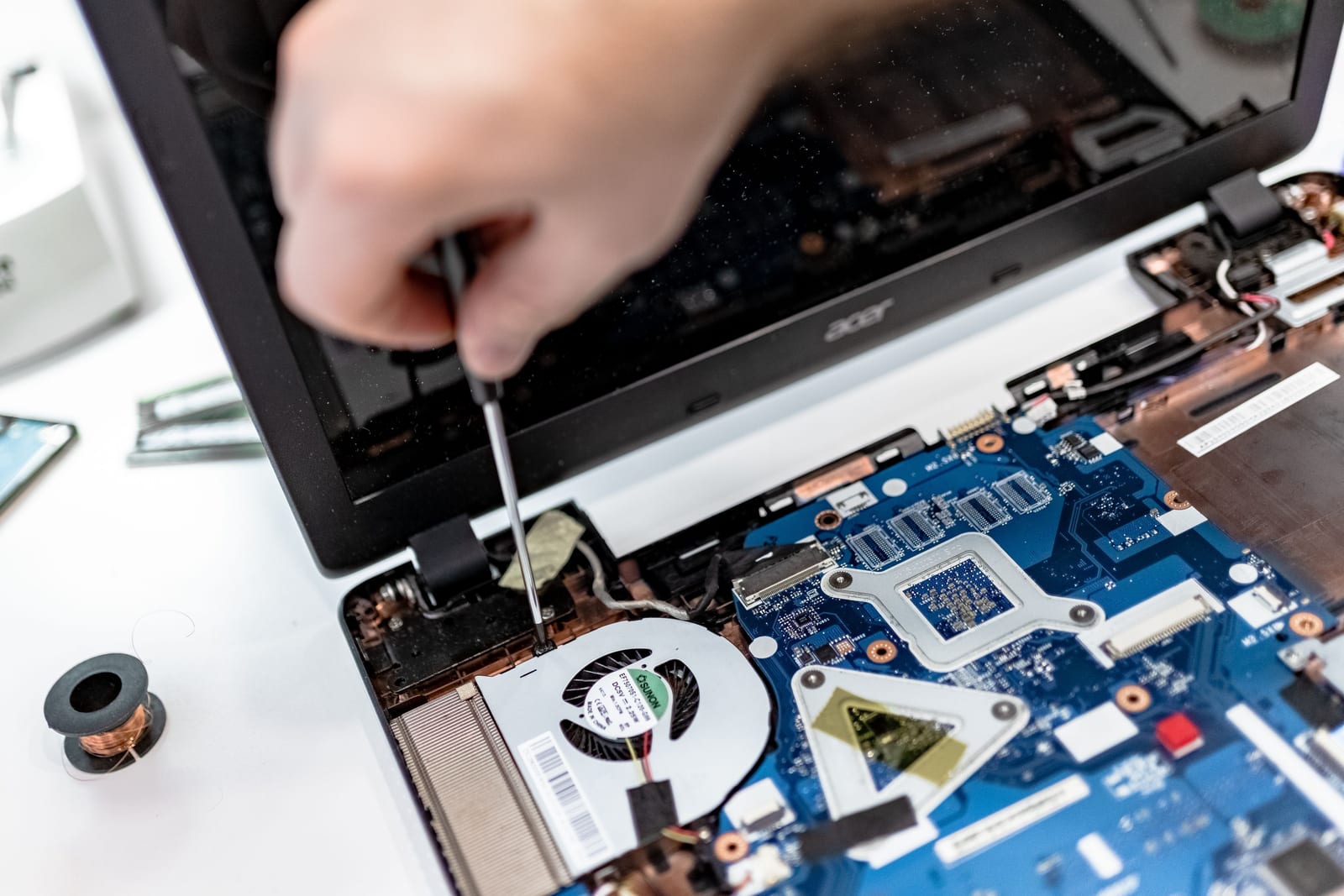
Hands working on the internal components of a laptop

THE WORK IN CONTEXT

Computer Repair.

Replacing a device is not always the right first step. A storage upgrade, a software repair, or a carefully chosen replacement component may restore a useful computer. We explain the likely cost and limitations so you can make an informed choice.

A slow or damaged computer does not always need replacing, and a repair is not always the best investment. We consider the symptoms, device age, hardware condition, available parts, and the work you need it to do. That creates a clearer decision than replacing components one at a time without a diagnosis.

The diagnostic stage identifies the likely cause and the proposed work. Before a paid repair proceeds, you can review the labor, parts, data-handling needs, and known limitations. If another issue emerges during the work, we discuss the change before adding it to the repair.

SERVICE CAPABILITIES

What the work can include.

Your quote identifies the capabilities relevant to your request, the systems involved, and the checks to complete.

01

Hardware diagnostics

Investigate startup failures, overheating, unstable operation, storage problems, and power-related symptoms. The device condition determines which checks are appropriate and whether manufacturer or specialist service is the better route.

02

Storage & memory upgrades

Review compatibility before recommending an SSD or memory upgrade. The proposal identifies the hardware, installation, data-transfer requirements, and any operating-system or application work needed to make the improvement useful.

03

Screen, battery & component replacement

Assess suitable replacements for serviceable parts, taking model compatibility and parts availability into account. We discuss the expected cost, device condition, and any manufacturer restrictions before ordering or fitting components.

04

Operating-system & software repair

Address supported operating-system problems, failed updates, damaged software configurations, and performance issues. Reinstallation, account access, application licensing, and preservation of personal files are discussed before any reset or rebuild.

05

Malware cleanup & recovery steps

Investigate suspected unwanted software and agree on cleanup or rebuilding work. Where account credentials may also be affected, device repair is paired with guidance on account protection; cleanup alone does not establish that every account is safe.

06

Repair validation & handover

Recheck the symptom addressed, explain installed components or software changes, and identify remaining issues. Keep the invoice and the applicable labor or manufacturer warranty information with the service record.

COMMON REQUESTS

See how the service fits.

Examples of the work you can discuss with us.

A laptop has become too slow for work

Review storage health, available capacity, memory use, startup software, and the workload. Compare a focused repair or upgrade with replacement, then identify the data-transfer steps and the full cost of the chosen option.

A computer no longer starts reliably

Document the symptoms and recent changes before checking the relevant hardware and software. If important files are at risk, discuss recovery needs before a reset, reinstall, or replacement of the storage device.

A device needs a new battery or display

Confirm the exact model and symptoms, check suitable parts, and review the estimate. Timing depends on the part supply and repair requirements; an appointment is confirmed after those details are understood.

FROM REQUEST TO HANDOVER

A clear delivery process.

  1. 01

    Assess the device

    Describe the symptoms, device model, damage, and any previous repair attempts. We discuss backup needs before diagnosis.

  2. 02

    Approve a written estimate

    You receive the proposed work and known parts costs. Diagnostic fees are waived when you proceed with the recommended repair.

  3. 03

    Check the repair

    We test the issue addressed and explain the applicable labor and manufacturer warranty terms.

What you can receive

The service record and handover follow the agreed work.

  • Diagnostic findings and a repair recommendation
  • An estimate separating labor and applicable parts
  • Approved repair or upgrade work
  • Checks related to the reported fault
  • Service notes and applicable warranty information

Before the first conversation

These details help us recommend a useful next step.

  • Device model, serial details, and symptoms
  • A current backup where possible
  • Relevant warranty or previous repair information
  • The charger and needed accessories, if requested

PRICING & SCOPE

From $79

repair labor; parts separate

Diagnostics are $49, waived with the recommended repair. Malware removal starts at $89.

Request a written quote

Know the scope before you start.

Back up important data before service whenever possible. Parts availability and device condition affect timing. The usual labor warranty is 30 days for the specific issue repaired; your invoice controls.

We confirm the proposed work, required access, known costs, and any dependencies before paid work begins.

Compare published rates

YOUR QUESTIONS

More about computer repair.

How do the diagnostic and repair prices work?

The published diagnostic fee is $49 and is waived when you proceed with the recommended repair. Repair labor starts at $79; parts are quoted separately. The estimate explains which charges apply to your device before the repair begins.

Are replacement parts included in the starting price?

No. The repair starting price does not include replacement parts. Part type, compatibility, supply, and device condition affect the total. We separate these costs in the estimate rather than treating a starting price as a complete quote.

Will my files be preserved?

Tell us what data matters and whether you have a usable backup. Some repairs do not require changes to storage; others involve a reset, transfer, or replacement drive. Data preservation and recovery work must be agreed before those changes, and recovery cannot be guaranteed.

Can you repair a physically damaged drive?

The published data-recovery starting rate applies to non-physical damage. Mechanical failure, liquid damage, or other physical media problems may require a specialist recovery provider. Avoid treating a general computer repair as a specialist laboratory recovery service.

What happens if the same problem returns?

Contact support with the service date, invoice reference, and symptoms. The usual labor warranty is 30 days for the specific issue repaired; the invoice controls. Replacement parts may have separate manufacturer terms, and an unrelated new fault may need a new assessment.