Covington, KY · Northern Kentucky & Greater Cincinnati
Get support(407) 335-1296

NETWORK SETUP

A network designed for the way you work.

Wired and wireless network planning, configuration, and troubleshooting for homes, offices, and small teams that need dependable connectivity.

Connect your workspace with confidence.

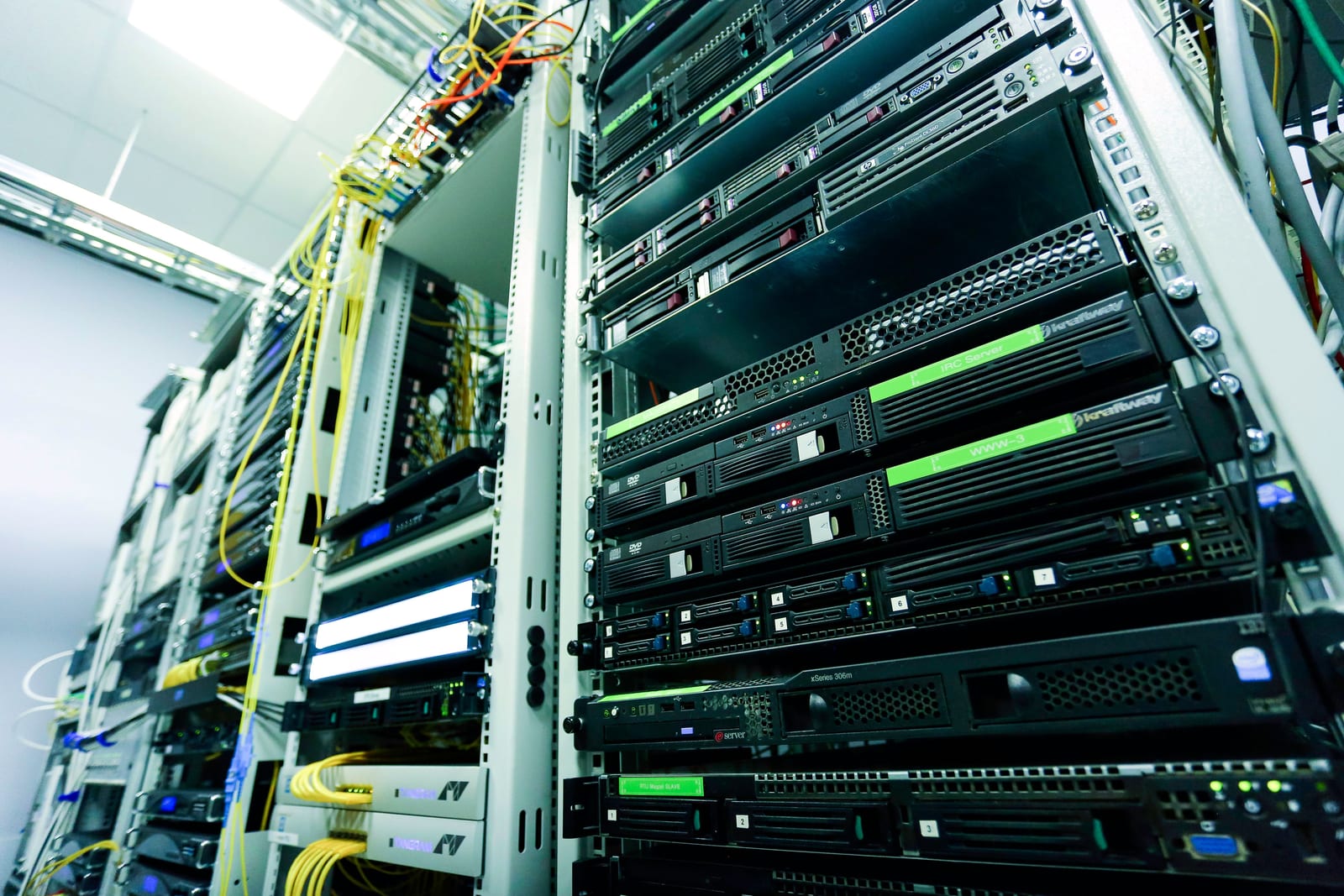
Network equipment mounted in a server rack

THE WORK IN CONTEXT

Network Setup.

Weak coverage, unreliable video calls, and shared passwords create daily friction. We assess the physical space, the internet connection, and the equipment already in place before recommending changes.

Good networking starts with the space and the workload. A small office with cloud calls, shared printers, visitors, and several access points has different needs from a home workspace. We review where devices are used, which applications matter, and where the current connection falls short.

The proposed work connects those needs to the equipment you already own and any recommended changes. Local Wi-Fi coverage, router configuration, internet service, and device compatibility are assessed as separate parts of the same experience. This helps avoid buying a faster internet plan to solve a local coverage problem.

SERVICE CAPABILITIES

What the work can include.

Your quote identifies the capabilities relevant to your request, the systems involved, and the checks to complete.

01

Network discovery & planning

Review the router, access points, switches, important devices, and internet connection in scope. Identify coverage concerns, shared resources, guest access needs, and the constraints of the building before choosing a configuration.

02

Router & access-point configuration

Configure supported equipment for the agreed network design. Work can include appropriate wireless settings, administrative access, firmware review, and documented configuration choices that the authorized owner can maintain.

03

Wi-Fi coverage improvement

Investigate weak areas, placement, interference, and how devices move through the space. Recommend practical access-point or positioning changes, then check connectivity in the agreed locations instead of relying only on a speed test beside the router.

04

Guest & business access separation

Plan separate guest access where supported by the equipment and scope. Discuss which users and devices need shared resources so separation improves access control without unexpectedly blocking everyday work.

05

Printers, devices & shared resources

Help connect agreed computers, network printers, and other supported equipment to the local network. Access permissions, fixed-address requirements, and vendor-managed devices are identified before configuration changes.

06

Validation & network notes

Check agreed connections, access paths, and coverage areas. Capture relevant equipment and configuration information for the owner, including items that remain the responsibility of the internet provider or another vendor.

COMMON REQUESTS

See how the service fits.

Examples of the work you can discuss with us.

Video calls fail in a back office

Compare performance near and far from the access point, review the building layout and local interference, and identify whether the issue is wireless coverage or the internet connection. Test the agreed improvement where calls actually take place.

Visitors need internet without access to work devices

Review the router and access-point capabilities, define a guest access approach, and verify the intended separation from business resources. The design depends on supported equipment and the actual access requirements.

A team is moving into a new workspace

Inventory the devices, room layout, internet handoff, and shared resources. Plan equipment and dependencies before move day, then agree on the configuration work, coverage checks, and any separate cabling or building contractor tasks.

FROM REQUEST TO HANDOVER

A clear delivery process.

  1. 01

    Review coverage and capacity

    Identify dead zones, typical device counts, critical applications, and the difference between an internet-service issue and a local network issue.

  2. 02

    Configure a practical design

    Set up supported routers and access points, separate guest access where appropriate, and apply agreed security settings.

  3. 03

    Validate and hand over

    Check connectivity in the agreed areas and document useful access and maintenance information for the authorized owner.

What you can receive

The service record and handover follow the agreed work.

  • A defined network scope and equipment recommendation
  • Approved router, Wi-Fi, or access configuration
  • Checks in the agreed coverage areas
  • Relevant network and ownership notes
  • A list of remaining provider or hardware dependencies

Before the first conversation

These details help us recommend a useful next step.

  • Address and basic layout of the workspace
  • Current router, access-point, and switch models
  • Approximate device count and important applications
  • Internet-provider details and authorized equipment access

PRICING & SCOPE

From $150

home / office network setup

Equipment, cabling, and more complex coverage or access requirements are quoted separately.

Request a written quote

Know the scope before you start.

Coverage depends on construction, interference, equipment, and the internet service provider. Cabling, building work, and additional hardware are quoted separately.

We confirm the proposed work, required access, known costs, and any dependencies before paid work begins.

Compare published rates

YOUR QUESTIONS

More about network setup.

What does network setup from $150 cover?

It is the published starting rate for a home or office network setup. The quote identifies the equipment, configuration, location, and validation included. Extra access points, hardware, cabling, building work, and more complex designs can change the price.

Is a new router always necessary?

No. Placement, settings, interference, an outdated device, or an internet-provider issue can cause similar symptoms. We review the existing equipment and requirements before recommending a replacement or expansion.

Will you guarantee a particular Wi-Fi speed everywhere?

Coverage and throughput depend on building materials, interference, client devices, equipment, and the internet service. We agree on the areas and checks for the project and explain the constraints before making a performance commitment.

Does this include installing new building cabling?

Cabling and building work are quoted separately and may involve another contractor. Tell us about existing outlets, access restrictions, and landlord requirements so those dependencies can be included in the project plan.

Can a network change interrupt our business?

Some changes require a router restart, a new wireless profile, or a change to device settings. We discuss the service window, affected users, and a practical handover before making changes to an active workplace network.